
API tokens
Generate API tokens for programmatic access to your ScaleVault data.
API tokens
Available on Adult and above, owners only. This is a beta feature —
it isn't currently linked from the navigation; go directly to
/settings/api-tokens to manage your tokens.
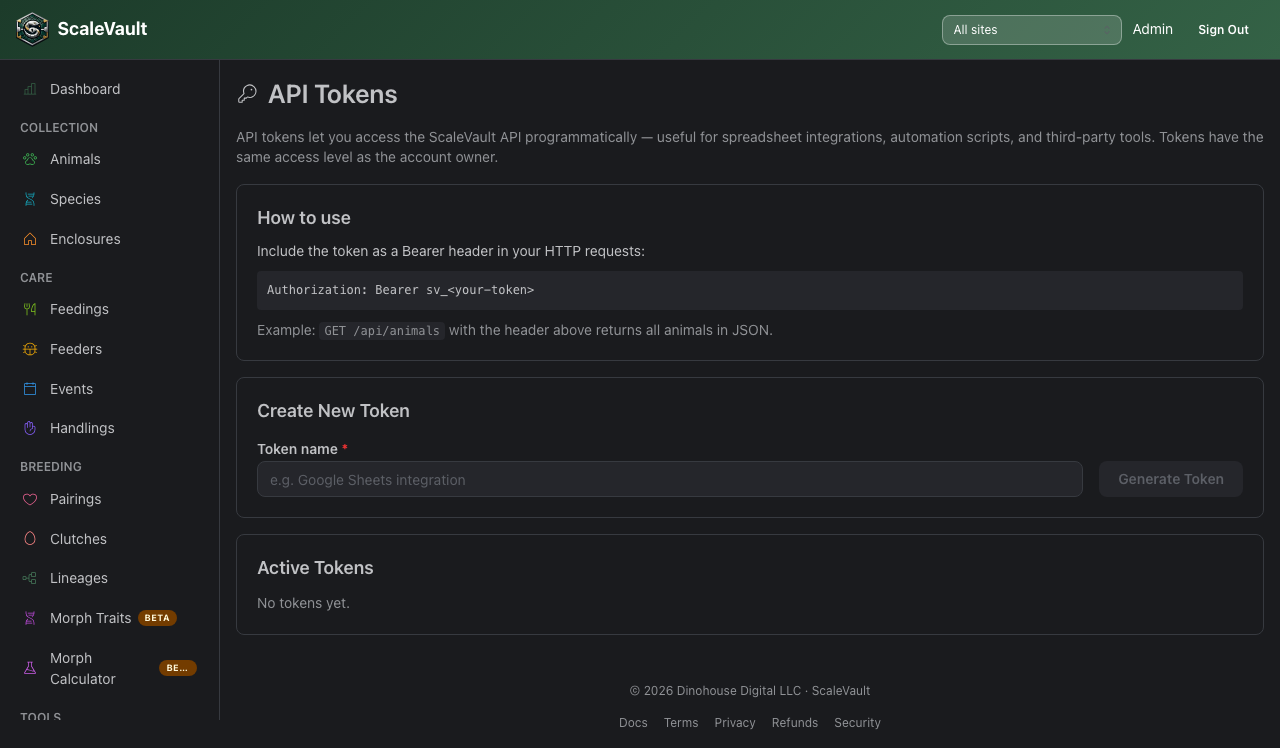
API tokens allow you to read and write your ScaleVault data from external scripts, automations, and third-party tools.
Generating a token
- Go to Account → API tokens.
- Click Generate new token.
- Give the token a descriptive name (e.g., "Export script – laptop").
- Click Create. The token is shown once — copy it now and store it securely.
Using a token
Include the token in the Authorization header of every API request:
Authorization: Bearer <your_token>
The base URL for all API endpoints is:
https://scalevault.app/api
Use this host even if your account has a custom subdomain — the token already identifies your account.
API endpoints return JSON. You can read your collection and log feedings, water checks, and cleanings — the same quick actions as the Home Assistant integration. Once API tokens are enabled for your account, the full list of endpoints is in the API reference (signed-in members only). If you need an endpoint that isn't there, reach out via Notifications & support.
Token scopes
Tokens inherit the permissions of the account they belong to. There are no fine-grained per-token scopes — a token can do anything the account owner can do, so treat them like passwords.
Revoking a token
From Account → API tokens, click Revoke next to any token to permanently invalidate it. Revocation is immediate — any requests using the revoked token will return 401 Unauthorized.
Tips
- Create one token per integration so you can revoke individual access without disrupting others.
- Rotate tokens periodically, especially if a script or machine is decommissioned.
- Never commit tokens to version control — use environment variables or a secrets manager.