
Printable reports
Care summaries, feeding/weight history, and collection reports as PDF.
Printable reports
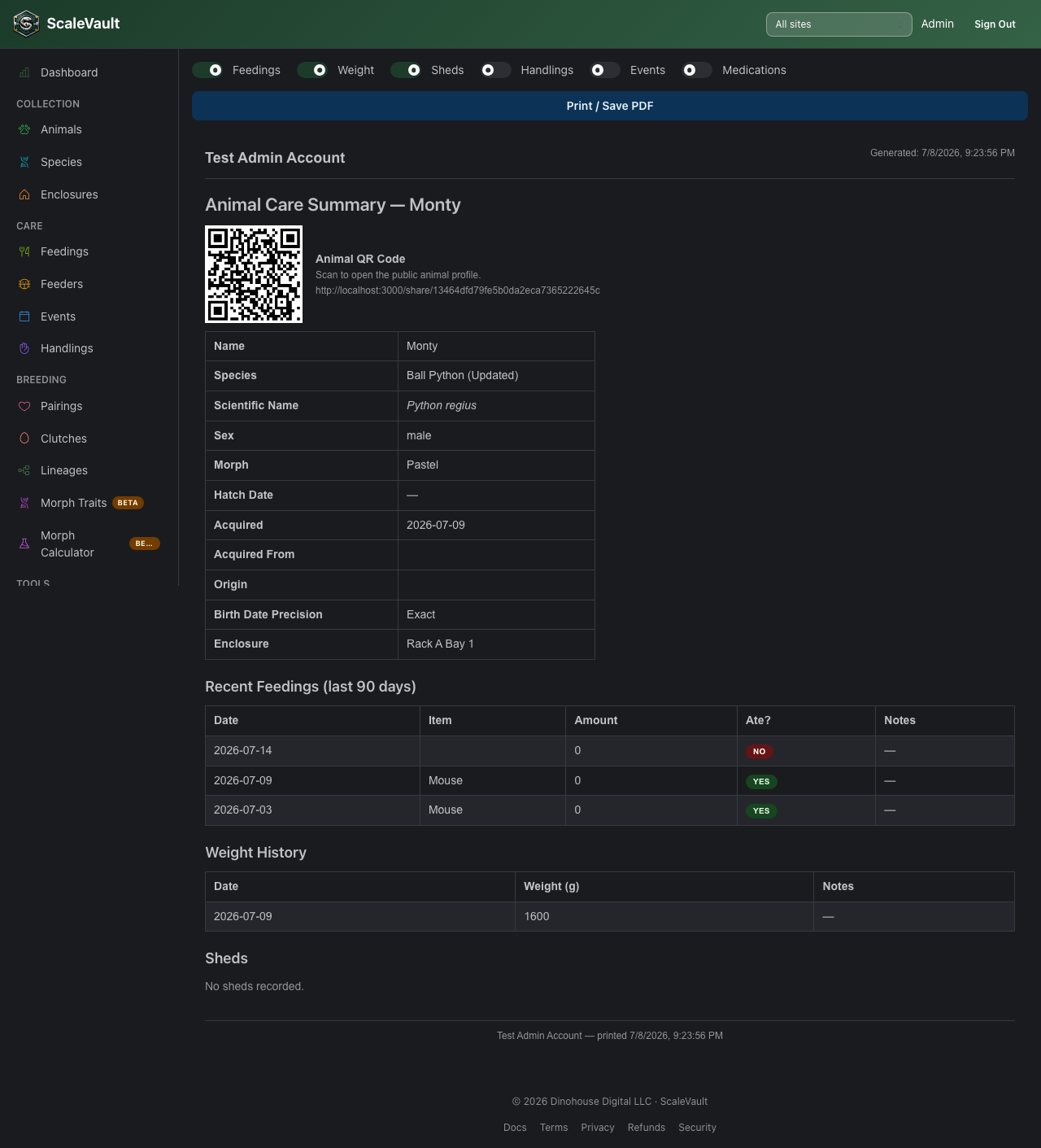
Available on Adult plan and above. There's no separate reports menu — each report is launched from the record it covers:
| Report | Launched from |
|---|---|
| Animal Care Summary | An animal's detail page |
| Feeding History | An animal's detail page |
| Weight Log | An animal's detail page |
| Clutch Report | A clutch's detail page |
| Collection Overview | The Animals table (all or filtered animals) |
| Show Animal Care Packet | A show's detail page, for animals entered in it |
Using a report
Each report renders as a printable page in the browser, with a Print / Save PDF button that opens your browser's print dialog — use it to print directly or save as a PDF. Reports pull live data at the time they're generated — they aren't saved snapshots, so re-running one later reflects any changes since.
History window
The Animal Care Summary and Show Animal Care Packet reports include a History window dropdown (7 / 14 / 30 / 60 / 90 days, default 30) that controls how far back the feedings, weight logs, sheds, handlings, events, and medications tables reach. Change it and the tables update immediately — no need to regenerate the report.
Genetic traits
If an animal has any structured genetic morph traits recorded, the Animal Care Summary and Show Animal Care Packet reports show them as badges (e.g. "Pastel (het)") alongside the animal's profile details.
Show Animal Care Packet extras
Beyond the per-animal care summaries, the Show Animal Care Packet has a couple of show-specific options:
- Unlock All for Transfer — generates a buyer claim link and QR code for every animal in the show at once, with the same expiry window (1 hour to 14 days, default 72 hours) and signup-incentive toggle as unlocking a single animal. See Animal transfers. If some animals in the show were already unlocked from an earlier visit to this page, their claim links refresh automatically in the background so they're ready to print — you don't need to click Unlock All again just because you reloaded the page, and any copy of the link already handed out keeps working, since refreshing only extends the expiration rather than replacing the link.
- Transfer QR Sheet — once animals are unlocked, a separate Print Transfer QR Sheet button prints a cut-apart page of transfer claim QR codes, one per unlocked animal, so you can hand a buyer their claim code without also handing them the rest of the packet. A Merge Transfer QR into report toggle, on by default, also folds each unlocked animal's transfer claim QR directly onto that animal's own report page — turn it off if this particular printout isn't going to the buyer yet.
Good for
- Handing a care summary to a sitter, co-owner, or vet.
- A printed packet for a show table or vet visit.
- A full collection overview for insurance, sale, or record-keeping.