
← All docs
Alert rules
Set up automated care-gap notifications for overdue feedings, weight drops, missed medications, sheds, and enclosure climate.
Features
Needs connection
breeder
multi-site
Alert rules
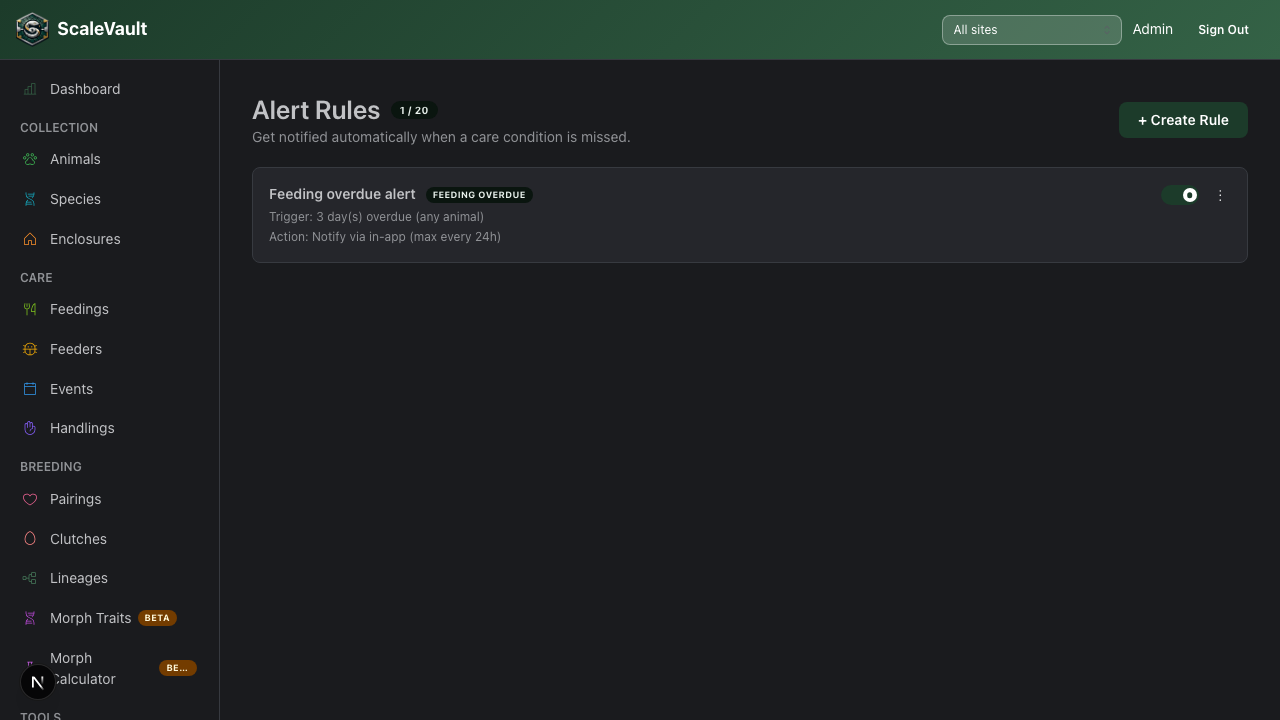
Alert rules automatically notify you when a care condition has been missed. Available on the Colony plan and above. Access from Alert Rules in the navigation.
What you can alert on
Each rule targets one trigger type, with its own configurable threshold:
| Trigger type | Configurable threshold |
|---|---|
| Feeding overdue | Days since last feeding |
| Weight drop | Percent drop over a look-back window (days) |
| Medication missed | Days overdue, optionally scoped to one medication name |
| Shed overdue | Days since last shed |
| Temperature alert | A specific enclosure's min/max °C, or hours since its last reading |
| Humidity alert | A specific enclosure's min/max %, or hours since its last reading |
Temperature and humidity rules must target one specific enclosure. The other trigger types apply account-wide (across every animal) — there's no species/site scoping, and no per-animal targeting in the create form.
Creating a rule
- Go to Alert Rules → + Create Rule.
- Trigger step — name the rule, pick a trigger type, and set its threshold (e.g., "3 days since last feeding").
- Action step — choose one or more notification channels (in-app, push, email to owners/admins, or Discord — Discord requires a webhook configured first under Account Settings), a cooldown in hours (minimum time between notifications for this rule, default 24), and an optional mute window (e.g. 22:00–07:00) to silence firing overnight.
- Review step — confirm the plain-English summary, then save. The rule is evaluated roughly every 15 minutes and dispatches through your chosen channels whenever its condition is met (subject to the cooldown and mute window).
How notifications are delivered
Depending on the channels you picked when creating the rule:
- In-app — appears in your Notifications inbox (bell icon in the nav).
- Push — a push notification on any device with ScaleVault installed.
- Email — sent to account owners and admins.
- Discord — posted to a webhook you configure under Account Settings. See Notifications & support.
Managing rules
- Toggle a rule off to pause it without deleting it — useful during brumation or when temporarily reducing feeding frequency. Paused rules still count toward the account limit below.
- Snooze 24 hours silences a rule temporarily without disabling it.
- A rule's fire history ("View history" in its menu) lists every time it fired, with the affected animal/enclosure and details — useful for proving care compliance.
- Maximum of 20 rules per account (active and paused combined).
Tips
- Start with a single "feeding overdue" rule, then expand once you're comfortable with the notification volume.
- Pair alert rules with the feeding pause beta feature if you have animals in brumation — paused animals are exempt from feeding overdue alerts.