
Medications & health
Schedule medication courses, log treatments from templates, and maintain a full health history per animal.
Medications & health
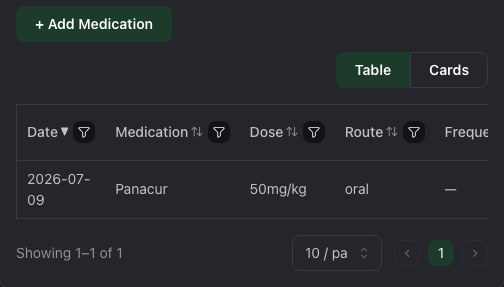
Available on all plans. Access from the animal's detail page under the Medications tab.
Medication templates
Before logging a treatment, create a medication template under Account → Medication templates. A template stores:
- Medication name (e.g., Panacur, Baytril)
- Default dose and unit (mg/kg, ml, etc.)
- Default route (oral, topical, injection, other)
- Default frequency and course length (days)
- Prescribed by
Templates save time when the same drug is used across many animals — you fill in the template once and reuse it.
Logging a treatment
On the animal's Medications tab, click + Add medication. Select a template or enter a custom medication, then fill in:
| Field | Details |
|---|---|
| Date given | Date of administration |
| Dose | Actual dose given (pre-filled from template) |
| Route | Oral, topical, injection, etc. |
| Frequency | Free text (e.g., "every 3 days", "twice daily") |
| Course length | Number of days the course runs, if applicable |
| Administered by | Staff member or vet name |
| Notes | Observations, side effects, follow-up instructions |
Scheduled courses
Record a frequency and course length (e.g., every 3 days for 15 days) so the course is documented in the medication log. If you're on the Colony plan or above, pair this with a Medication missed alert rule to get notified automatically when a dose falls overdue.
Health timeline
All medication records appear on the animal's Timeline alongside feedings, sheds, and weight logs, giving you a chronological health history.
Tips
- Create templates for common preventatives (e.g., routine deworming) so every keeper uses consistent dosing.
- Use the notes field to record the prescribing vet so it's easy to follow up.