
← All docs
Animals
Adding, editing, photos, weights, sheds, events, and the timeline.
Features
Works offline
hobbyist
breeder
multi-site
educator
Animals
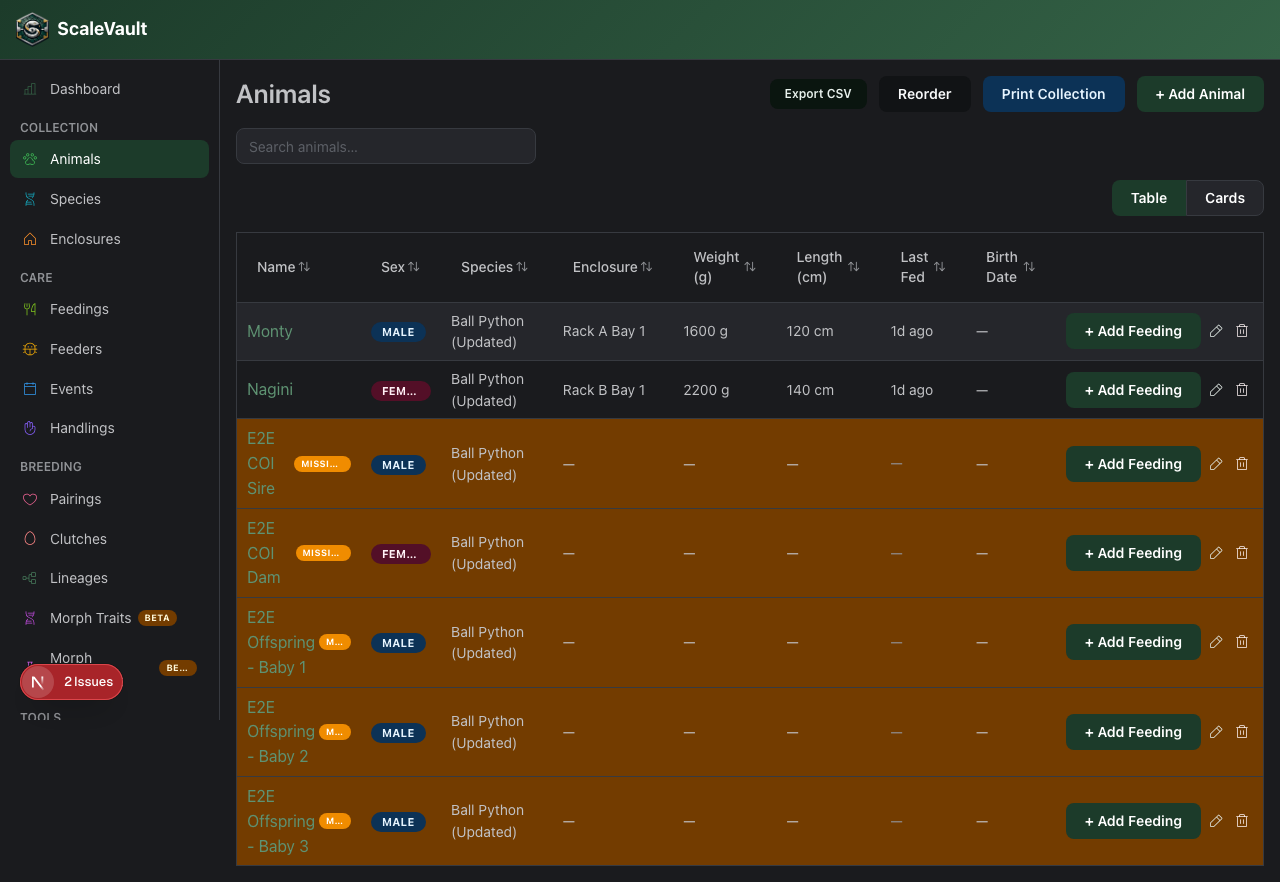
The animal record is the center of ScaleVault. Most of the rest of the app is in service of populating it — pairings produce animals, feedings are logged against animals, lineages roll up animals.
Required vs optional
The only required fields are name, species, and sex (which
can be unknown). Everything else can be filled in later.
Useful optional fields
- Hatch date — drives age calculations and lineage charts.
- Weight / length — current snapshot; the full history lives under the Weights tab.
- Morph — free text. Many breeders cram genetics here ("Pastel het Pied"). It shows up on the public profile and lineage tree.
- Sire / Dam — set this for animals you imported with known parentage. ScaleVault will compute COI from the lineage.
- Photo — the most recent photo you upload becomes the card image.
- Quick-feed defaults — pin a specific food and amount that the QR one-tap path uses. See QR codes & quick actions.
Tabs on the animal page
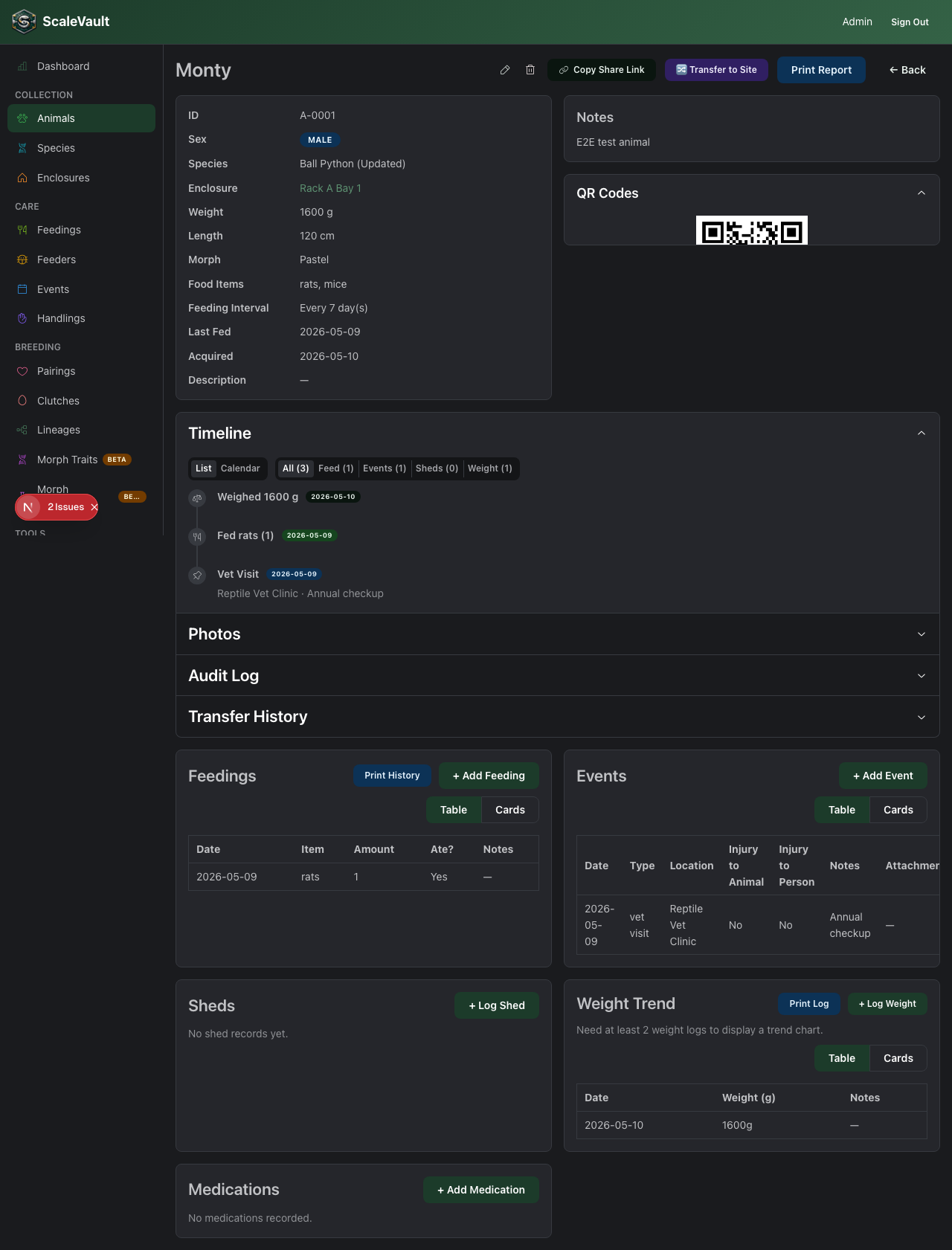
- Overview — basics + recent activity.
- Feedings — full history; charts by month.
- Weights — chart and log.
- Sheds — date list; track shed cycle.
- Events — anything that doesn't fit a built-in category. Custom event types are defined per-account.
- Photos — gallery.
- Files — attach PDFs, vet records, lab results.
- Lineage — sire, dam, siblings, COI.
- QR — generate printable codes.
Bulk operations
Owners can import animals from a CSV file directly from the Animals list (no plan restriction — though normal per-plan animal limits still apply). See Bulk import (CSV).
For faster browsing in large collections, use sortable headers and typed per-column filters. See Sorting and filtering tables.