
Members & roles
Inviting teammates, role permissions, session management.
Members & roles
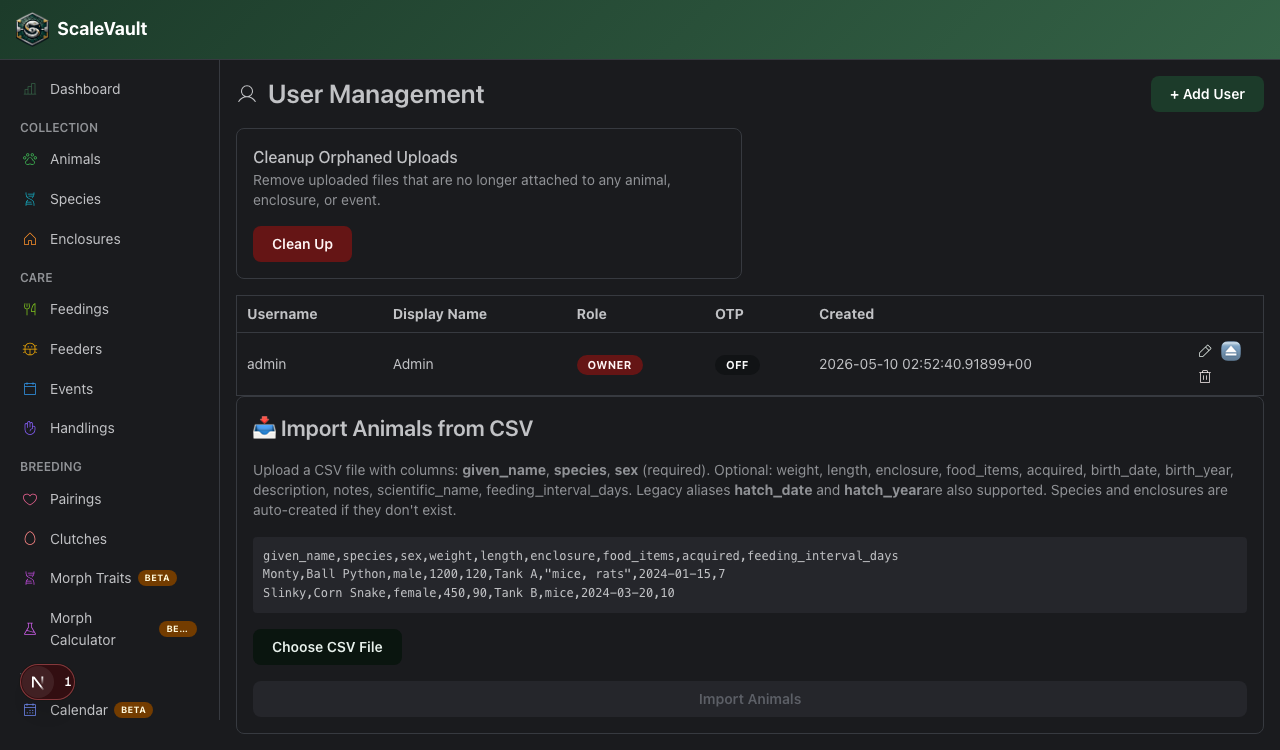
Multiple people can share an account. Manage at
/users.
Invitation flow
- + Invite member — enter their email, pick a role, optionally pick which sites they can see.
- They get an email with an accept link. The email also includes a Decline link — clicking it marks the invitation as rejected and stops any reminder emails.
- They register or sign in, then they're added to your account.
If the invitation email doesn't arrive, see Email delivery troubleshooting.
Roles
| Role | Read | Log & edit records | Manage members | Billing & sites |
|---|---|---|---|---|
| Viewer | ✅ | — | — | — |
| Editor | ✅ | ✅ | — | — |
| Admin | ✅ | ✅ | ✅ | — |
| Owner | ✅ | ✅ | ✅ | ✅ |
Editors can create, edit, and delete species, enclosures, animals, pairings, and clutches, and can log and edit feedings, weights, sheds, handlings, events, and medications. Deleting a feeding, weight log, or shed entry — as opposed to editing or adding one — requires an admin or owner role, so a lapse in care can't quietly be erased from the record.
Admins add member invitations/removal, account-level configuration (event types, alert rules, QR & share auth settings, Home Assistant integration), and buyer transfers on top of what editors can do. Only owners manage billing, sites, and account/branding settings.
Site scoping
Editors and viewers can be limited to specific sites (Apex plan). Admins always see all sites. The site dropdown in the nav respects this scope.
Session management
Users can see their active sessions under Settings → Profile → Session Management and sign any of them out. Owners can force-revoke any member's sessions from the user detail page.
Removing a member
Open the member → Remove. This revokes all their sessions and their access immediately, but their authored records (logs, events) remain attributed to their username for the audit trail.
Bulk import
Owners also find the CSV import tool for animals on the Animals page (Import from CSV above the table).